Scripture,by heart.
A quieter way to read, listen, and make the Word part of your everyday. One verse. A little practice. Your own rhythm.
Read without the noise
Scripture takes center stage.Remember at your pace
Small moments, on your terms.Keep it close, and private
Your practice stays yours.Some words are worth keeping.
Not another feed to scroll. A little space to slow down, find a passage, and carry it into the rest of your day.
Go on, try it.
 Bible Memo
Psalm 23
Tap a verse to make it yours.
A simplified, interactive preview. Changes stay here for this visit; they do not change the app or schedule notifications.
A little practice. A deeper root.
Every passage has a path from reading to remembering. Four gentle steps, with your progress kept for the next time you return.
The LORD is my shepherd; I shall not want.
Psalm 23:1 · KJVRead
Slow down and get to know the passage.
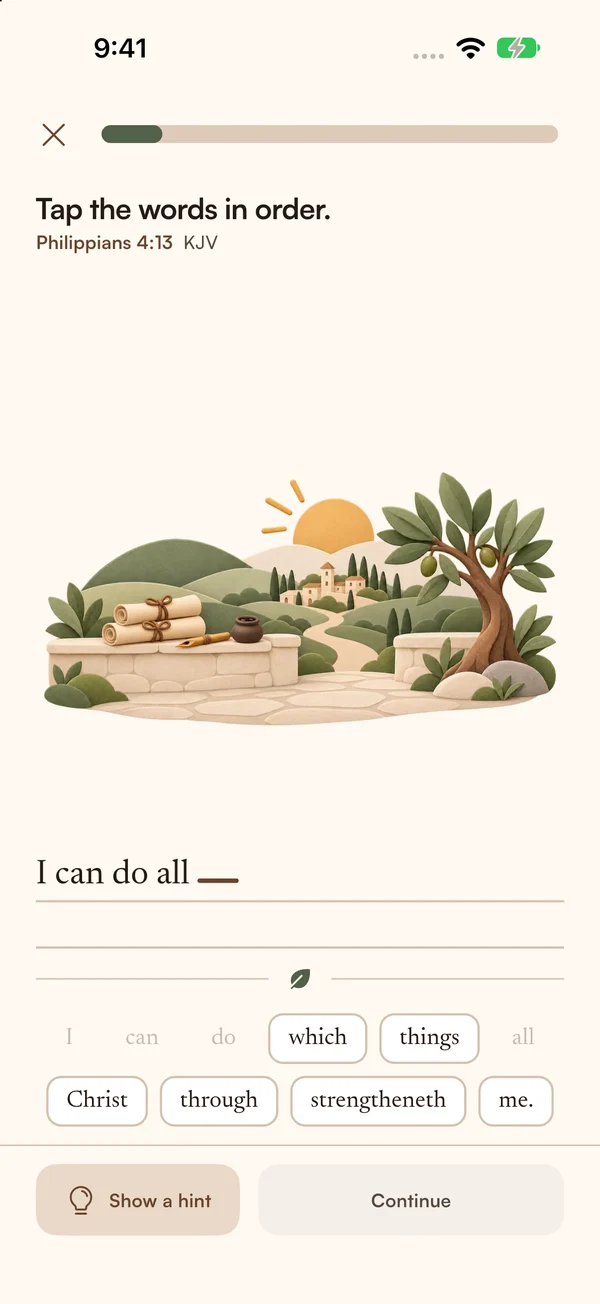
Build
Tap the shuffled words into order and watch the verse take shape.
Remember
Fill the missing words from a choice of answers, with a hint when you need one.
Recall
Type from memory, or recite aloud with on-device speech recognition where supported. Review your answer before checking it.
Choose Playful, Reflective, or Focused, with a 3, 5, or 10 minute daily rhythm. A little guidance, without a countdown.
Let Scripture meet your day.
A verse with your morning. A gentle nudge between things. A quiet moment to remember. You choose the times; Bible Memo makes a little room.
Reminders need your permission, and delivery follows your phone's notification settings.
A quiet beginning
Something to carry into today.
Start with a suggested passage. Read it, sit with it, or choose to learn it.
In the in-between
A little return to the Word.
The passages you're learning come back at the interval and within the active hours you choose.
Before the day settles
See what has stayed with you.
An invitation to recall a learning passage. A small practice, without the pressure.
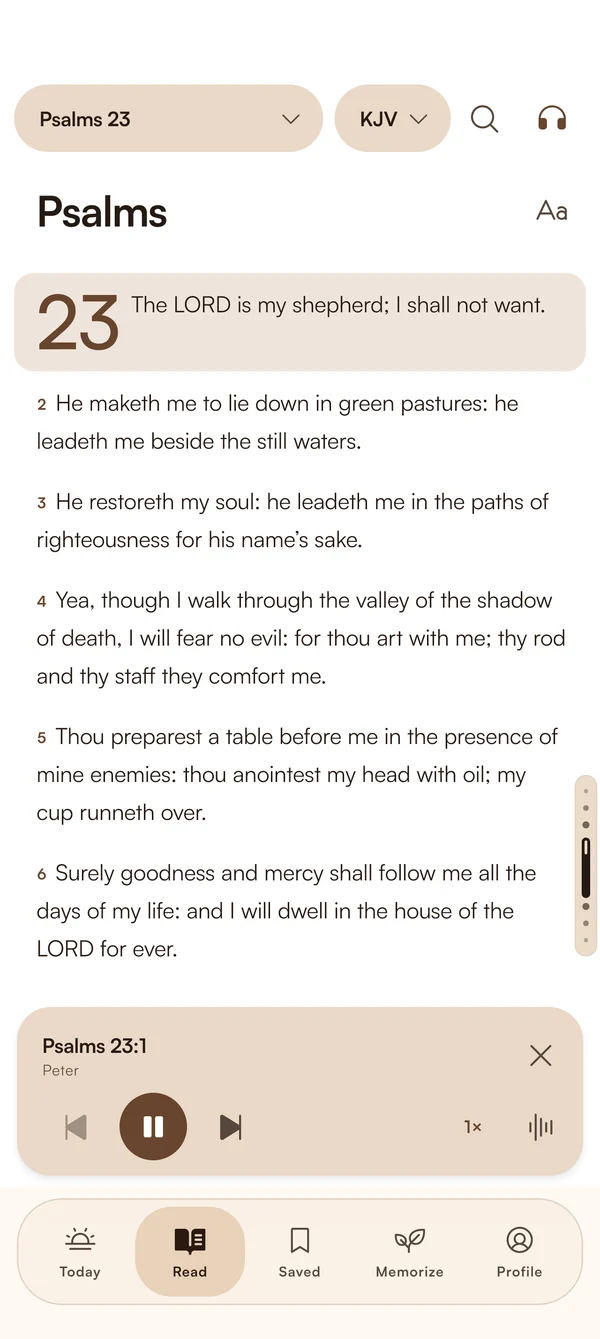
Hear the Word. Stay with the verse.
Choose a natural voice by listening to its sample, download it, and hear chapters read aloud on your device. The verse being read is highlighted and kept in view.
- Set the reading speed and choose soft background music, or listen without it.
- Keep listening with your phone locked. Pause or skip back and forward from your phone's media controls.
- Listen offline after downloading a voice for your Bible's language. Available voices depend on the language.
Little things that help you return.
- Find a verse by its words
- Search offline in your current Bible, with other downloaded versions offered when you need to look further. Recent searches keep familiar passages close.
- Watch your practice grow
- An olive tree grows with your streak. Your weekly view and monthly calendar show recorded practice days, so you can look back on the habit you're building.
- Keep Scripture on your screen
- Verse and streak widgets bring your practice to your Home Screen on iOS and Android, with Lock Screen widgets on iOS. Tap to return to the passage or continue practice.
- Make yourself at home
- Choose your Bible and interface language separately. Adjust text size and explore Light, Dark, Sepia, and more color themes for a comfortable read.
Made for your life. Not your attention.
The best companion knows when to step back. No feed, no account to manage, and no audience to perform for.
The Word goes where you go.
Download your Bible once. Then read and practice on a train, at the kitchen table, or somewhere the signal doesn't reach.
Your practice. Not a profile.
Your saved passages, notes, and practice history stay on your device. No account. No advertising or analytics SDKs.
More than memorizing.
Keep a private note, a prayer, or a journal entry. Some things are worth remembering in your own words, too.
Thy word have I hid in mine heart,
that I might not sin against thee.
PSALM 119:11KING JAMES VERSION
A little clarity.
Less wondering. More room for the Word.
How is Bible Memo different?
Bible Memo brings reading, natural-voice listening, saved passages, and a four-step memorization journey into one quiet place. Choose a passage, work through Read, Build, Remember, and Recall, and return at a rhythm that fits your day.
Can I use it without an internet connection?
Yes. Download a Bible package once for offline reading and search. Guided practice, saved passages, notes, and local reminders work without an ongoing connection. Listening also works offline once a voice for your Bible's language is downloaded. New Bible and voice downloads need an internet connection.
Do I need to create an account?
No. Bible Memo's initial release is designed without accounts or cloud sync. Your personal passages, preferences, notes, and practice history live on your device.
Am I in control of the reminders?
Always. Choose your daily study time, reminder interval, and active hours. Saving a verse alone never starts reminders. Your phone must allow notifications, and its battery or notification settings can affect delivery.
Which Bible version can I read?
Start with the complete King James Version, or browse the in-app catalog for other available versions and languages. Download a Bible once, then switch to it for reading and practice offline. Your interface language can be chosen separately in Settings. Available versions depend on distribution rights.
Can I listen with my screen locked?
Yes. After downloading a natural voice for your Bible's language, start a chapter in the reader. Listening continues when you lock the phone or leave the app, with pause and 10-second skips in your phone's media controls. Switching away from Read to another tab inside Bible Memo pauses the reading.
Can I practice by speaking instead of typing?
Yes, where your device supports on-device speech recognition in your Bible's language. Tap Record during Recall, recite, then review the text before checking your answer. Permission is requested when you record; audio is never saved or uploaded. Typing stays available if speech recognition isn't supported.
Where can I download Bible Memo?
Use the available store links at the bottom of this page. If a platform is marked Coming soon, its store release isn't available from this site yet.
Make a little room for the Word.
Take Scripture into the rest of your day. Get Bible Memo for your device and find a rhythm that feels like yours.
No account. No feed. Just you and the Word.